> ## Documentation Index
> Fetch the complete documentation index at: https://docs.palantrix.com/llms.txt
> Use this file to discover all available pages before exploring further.
# Set Up Your Profile
> Create your profile to make sure you stand out from the crowd. Add your CV and skills profile to make it easier for employers to find you. Even if you are just practising mock interviews adding your CV will help the AI provide better feedback.
Providing a detailed profile helps our AI provide more realistic feedback and also helps you stand out in a crowded marketplace.
### Profile Setup
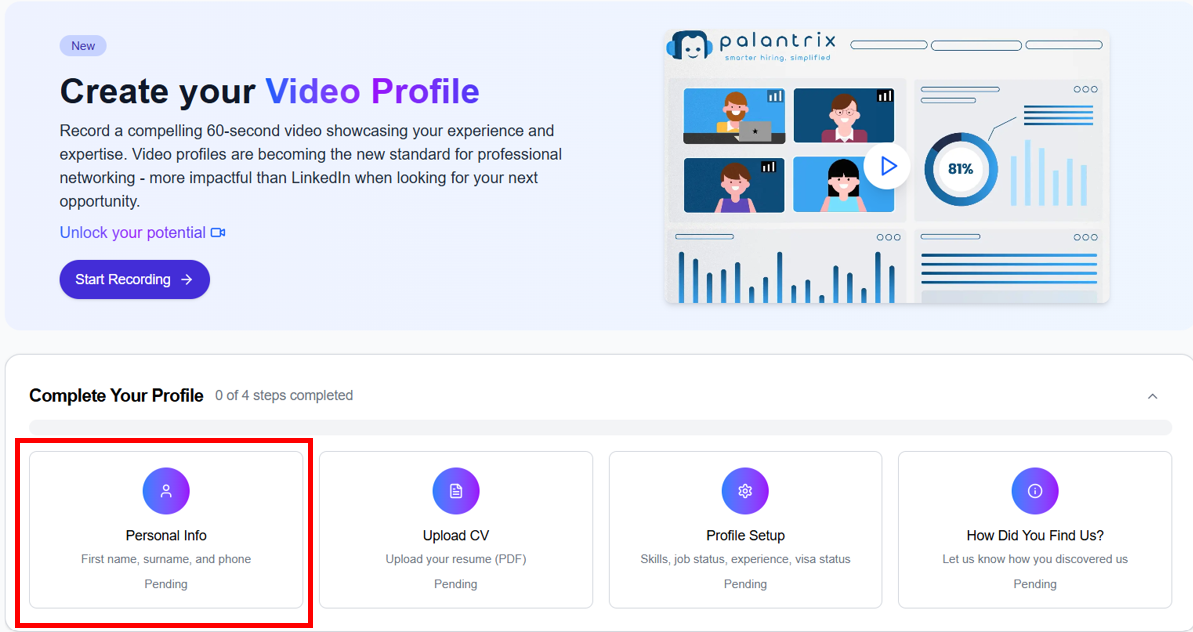 Your profile steps will be shown on the home page. Clicking on each step allows you to build your profile. Once complete, these profile cards will disappear from your home page.
You can always navigate back to Settings to update them at any time **my.palantrix.com/settings**
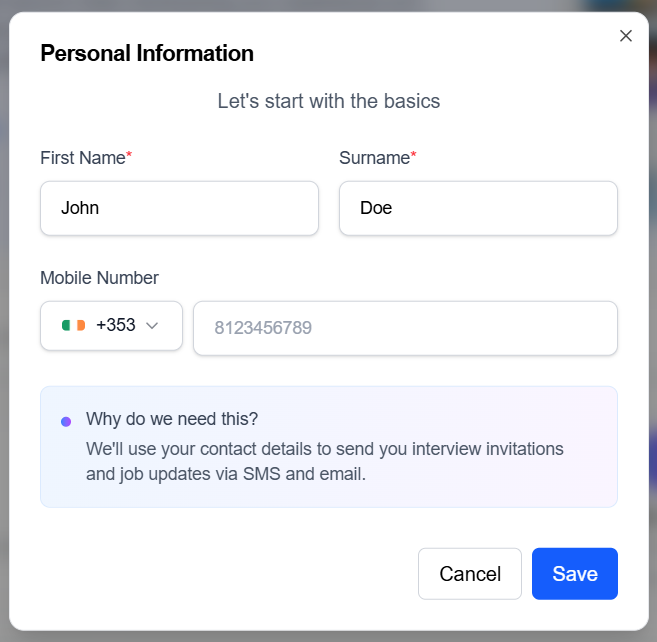
Add in your name and contact mobile number. We will only use your mobile if we need to send you an SMS about a job interview, however email communication is our preferred communication channel.
Your profile steps will be shown on the home page. Clicking on each step allows you to build your profile. Once complete, these profile cards will disappear from your home page.
You can always navigate back to Settings to update them at any time **my.palantrix.com/settings**
Add in your name and contact mobile number. We will only use your mobile if we need to send you an SMS about a job interview, however email communication is our preferred communication channel.
 Upload your CV. We only accept PDF formats. We’ll parse key details such as roles, skills, and education to pre‑fill your profile summary.
Add in your Skills, whether they are technical, industry specific or soft skills e.g.
```
Python - Expert and then click Add
Project Manager - Intermediate and then click Add
Communication - Expert and then click Add
```
Add up to 5 top skills
Upload your CV. We only accept PDF formats. We’ll parse key details such as roles, skills, and education to pre‑fill your profile summary.
Add in your Skills, whether they are technical, industry specific or soft skills e.g.
```
Python - Expert and then click Add
Project Manager - Intermediate and then click Add
Communication - Expert and then click Add
```
Add up to 5 top skills
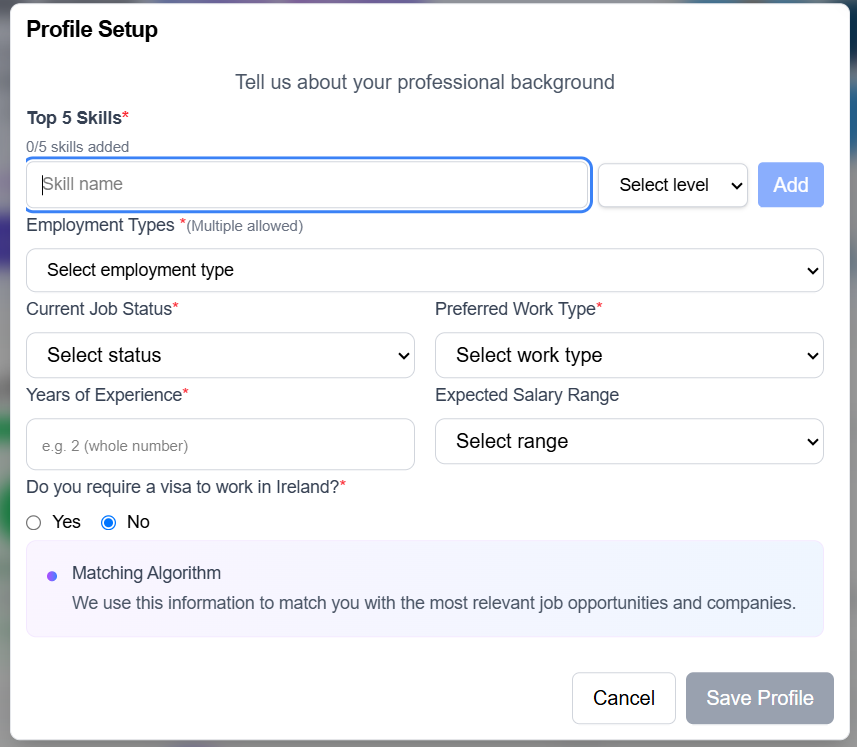 * Add in one or more preferred employment types.
* Select your current employment status.
* Sele your preferred Work Type - select Flexible if you are open to any of the options.
* Enter in the number of years of experience you have.
* Expected Salary Range is optional but it will help us target specific jobs in line with your expectations.
* Please select if you require a work visa to work in Ireland and Save your Profile.
* Add in one or more preferred employment types.
* Select your current employment status.
* Sele your preferred Work Type - select Flexible if you are open to any of the options.
* Enter in the number of years of experience you have.
* Expected Salary Range is optional but it will help us target specific jobs in line with your expectations.
* Please select if you require a work visa to work in Ireland and Save your Profile.
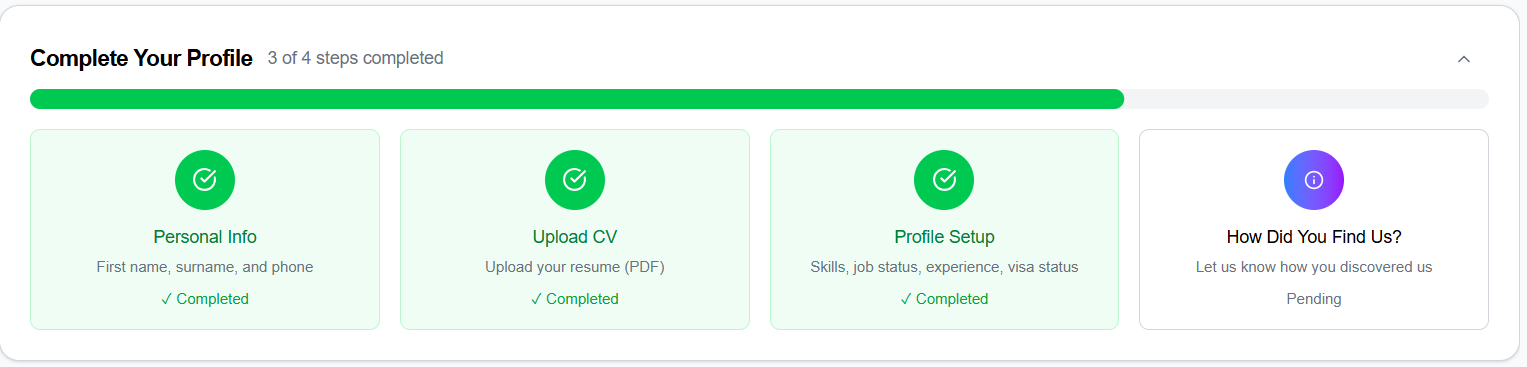 Just let us know where you heard about Palantrix and that's it. Your Profile is complete.
### Create your Profile Video
After filling in your profile we recommend you create a 1-4 minute video introduction. This can be done at any time and although optional, is highlighy recommended if you are on the look out for new opportunities. Just click on the 'Create Your Video Profile' banner on the home page.
* Enter in a short profile summary.
* Record a 1-4 minute introduction video promoting yourself and your experience.
* Review the evaluation and if you have received over 75% you can publish that profile so Companies can find you.
Publishing your profile video when looking for new role is a great way to promote your experience and personality and lets companies know you are open to new opportunities.
* You can re-record your profile video as many times as you like but only one profile video can be published per candidate at any one time. To re-record your video just visit the Settings section in your profile at [my.palantrix.com/settings](https://my.palantrix.com/settings)
* You can also unpublish your video profile in the Settings section if you no longer want your profile to be public.
### Editing your Profile
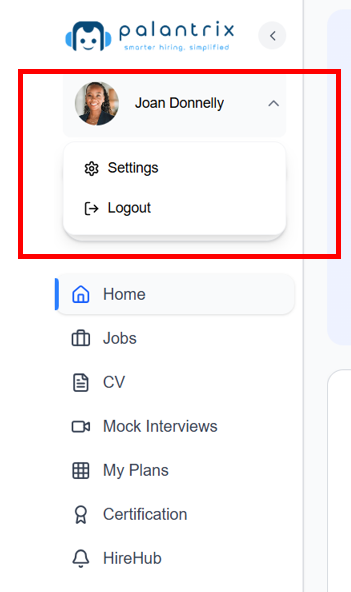
* From your Home page navigate to the Settings page - click on your profile picture in the left navigation page and then click on Settings
Just let us know where you heard about Palantrix and that's it. Your Profile is complete.
### Create your Profile Video
After filling in your profile we recommend you create a 1-4 minute video introduction. This can be done at any time and although optional, is highlighy recommended if you are on the look out for new opportunities. Just click on the 'Create Your Video Profile' banner on the home page.
* Enter in a short profile summary.
* Record a 1-4 minute introduction video promoting yourself and your experience.
* Review the evaluation and if you have received over 75% you can publish that profile so Companies can find you.
Publishing your profile video when looking for new role is a great way to promote your experience and personality and lets companies know you are open to new opportunities.
* You can re-record your profile video as many times as you like but only one profile video can be published per candidate at any one time. To re-record your video just visit the Settings section in your profile at [my.palantrix.com/settings](https://my.palantrix.com/settings)
* You can also unpublish your video profile in the Settings section if you no longer want your profile to be public.
### Editing your Profile
* From your Home page navigate to the Settings page - click on your profile picture in the left navigation page and then click on Settings
 * Alternatively, after you log in, you can always navigate to settings by visiting [my.palantrix.com/settings](https://my.palantrix.com/settings)
### Quick Tips
* Make your profile stand out. Be specific with your skills.
* Ensure your CV is concise and accurate. Limit each role to 5-6 bullet points. Begin with outcomes: specify what was delivered, for whom, and the resulting impact. Include metrics—such as number of users, revenue or % improvement.
* For interviews, try and apply the STAR methodology - **Situation, Task, Action and Result**.
* Alternatively, after you log in, you can always navigate to settings by visiting [my.palantrix.com/settings](https://my.palantrix.com/settings)
### Quick Tips
* Make your profile stand out. Be specific with your skills.
* Ensure your CV is concise and accurate. Limit each role to 5-6 bullet points. Begin with outcomes: specify what was delivered, for whom, and the resulting impact. Include metrics—such as number of users, revenue or % improvement.
* For interviews, try and apply the STAR methodology - **Situation, Task, Action and Result**.