> ## Documentation Index
> Fetch the complete documentation index at: https://docs.palantrix.com/llms.txt
> Use this file to discover all available pages before exploring further.
# Create Your Account
> Create your Palantrix Account, complete your profile, post jobs, search candidates and find the best talent in the least amount of time.
First time users need to sign up to create their Palantrix account.
You must use a **business or company domain email** to sign up. Gmail, Hotmail or Yahoo accounts are not permitted. For additional protection set a secure password that you do not use on any other site.
You can sign up for Free. No credit cards required. You can get a feel for the product and join our free webinar, before you upgrade to a paid plan.
### Create Your Account
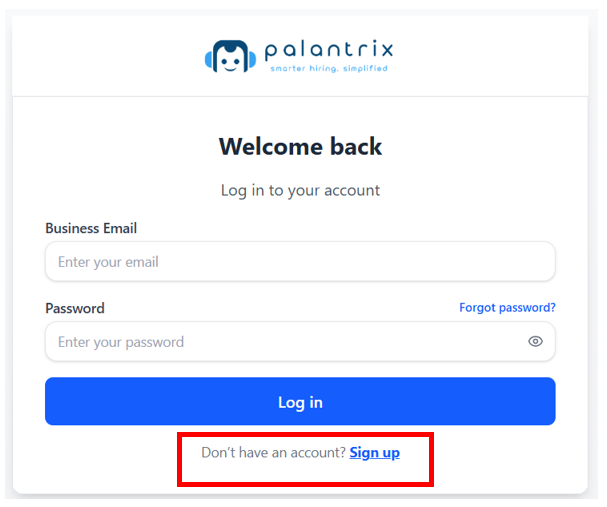
Please visit [app.palantrix.com](http://app.palantrix.com) and click on the Sign Up link.
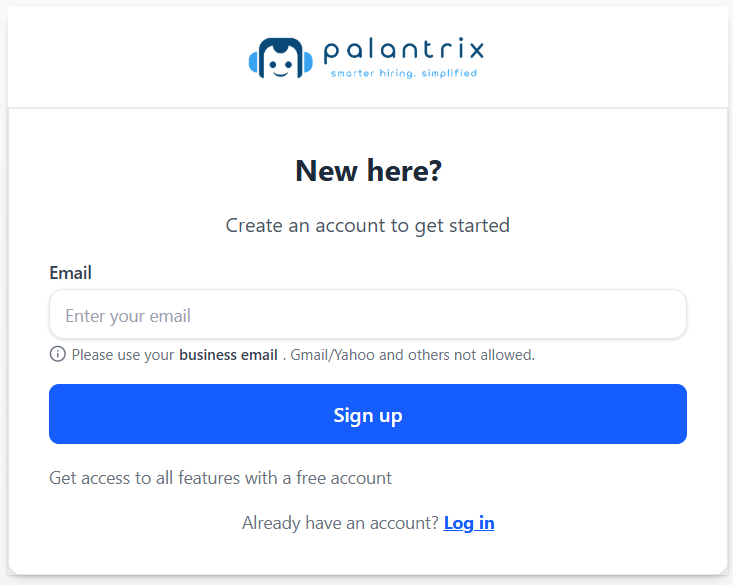
 Enter your **business email** and press Sign Up.
Palantrix provides information about candidates and their search for new opportunities.
A business email is required in order to set-up an account.
A verification process might be undertaken and a paid plan is required before any personal information or interviews about candidates is released.
Enter your **business email** and press Sign Up.
Palantrix provides information about candidates and their search for new opportunities.
A business email is required in order to set-up an account.
A verification process might be undertaken and a paid plan is required before any personal information or interviews about candidates is released.
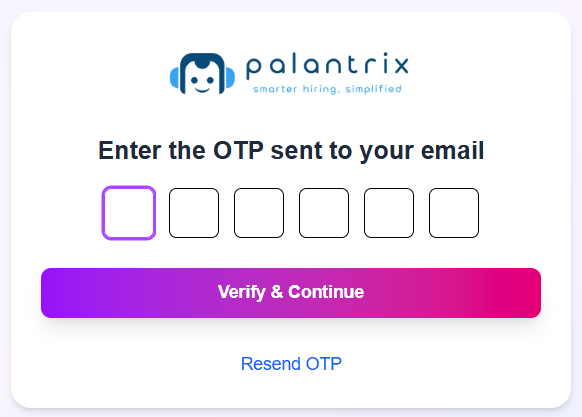
 An One-Time-Passcode (OTP) will be sent to your email address. Please open your email and retrieve the 6-digit code and enter it in the OTP fields and click Verify & Continue.
If you have not received your OTP email, please check your SPAM or JUNK folders
An One-Time-Passcode (OTP) will be sent to your email address. Please open your email and retrieve the 6-digit code and enter it in the OTP fields and click Verify & Continue.
If you have not received your OTP email, please check your SPAM or JUNK folders
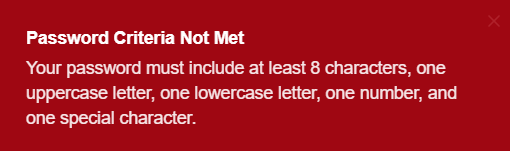
 Enter in a strong password. We validate that you use at least:
1. Password must be at least 8 characters long
2. One uppercase letter
3. One lowercase letter
4. One number
5. One special character e.g. !, &, %, \$, @, +, \*, ?
### Quick Tips
* Use an email that is easily accessible to retrieve your OTP and complete your verification. This must be a business email account. Check that your business email filter has not blocked or put the OTP invite into the SPAM folder.
* If you have already created an account just use the Login option on the same page.
* If the prompt tells you that your password criteria has not been met, just check Step 4 above to ensure that the all 5 criteria are being met.
Enter in a strong password. We validate that you use at least:
1. Password must be at least 8 characters long
2. One uppercase letter
3. One lowercase letter
4. One number
5. One special character e.g. !, &, %, \$, @, +, \*, ?
### Quick Tips
* Use an email that is easily accessible to retrieve your OTP and complete your verification. This must be a business email account. Check that your business email filter has not blocked or put the OTP invite into the SPAM folder.
* If you have already created an account just use the Login option on the same page.
* If the prompt tells you that your password criteria has not been met, just check Step 4 above to ensure that the all 5 criteria are being met.