
Start with Team Chemistry. Invite your team and each person answers a short set of questions, either in Palantrix or through a direct message in Slack or Microsoft Teams, whichever is easier for them.Their answers combine into your Team Chemistry signature, which becomes the baseline every conversation is measured against. That’s why it comes first.Note: Slack and Microsoft Teams integrations are available on the free plan. CRM connection requires a paid plan, but you can create a test customer directly in Palantrix so you can try the platform end to end before upgrading.
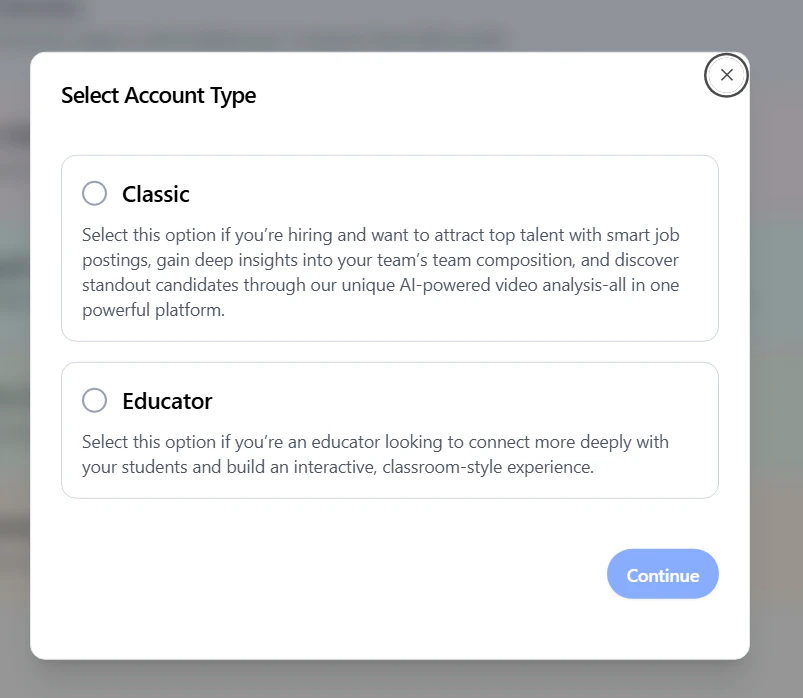
Account Type
Companies signing up to the Conversation Readiness Platform (CRP) should select the Enterprise Account Type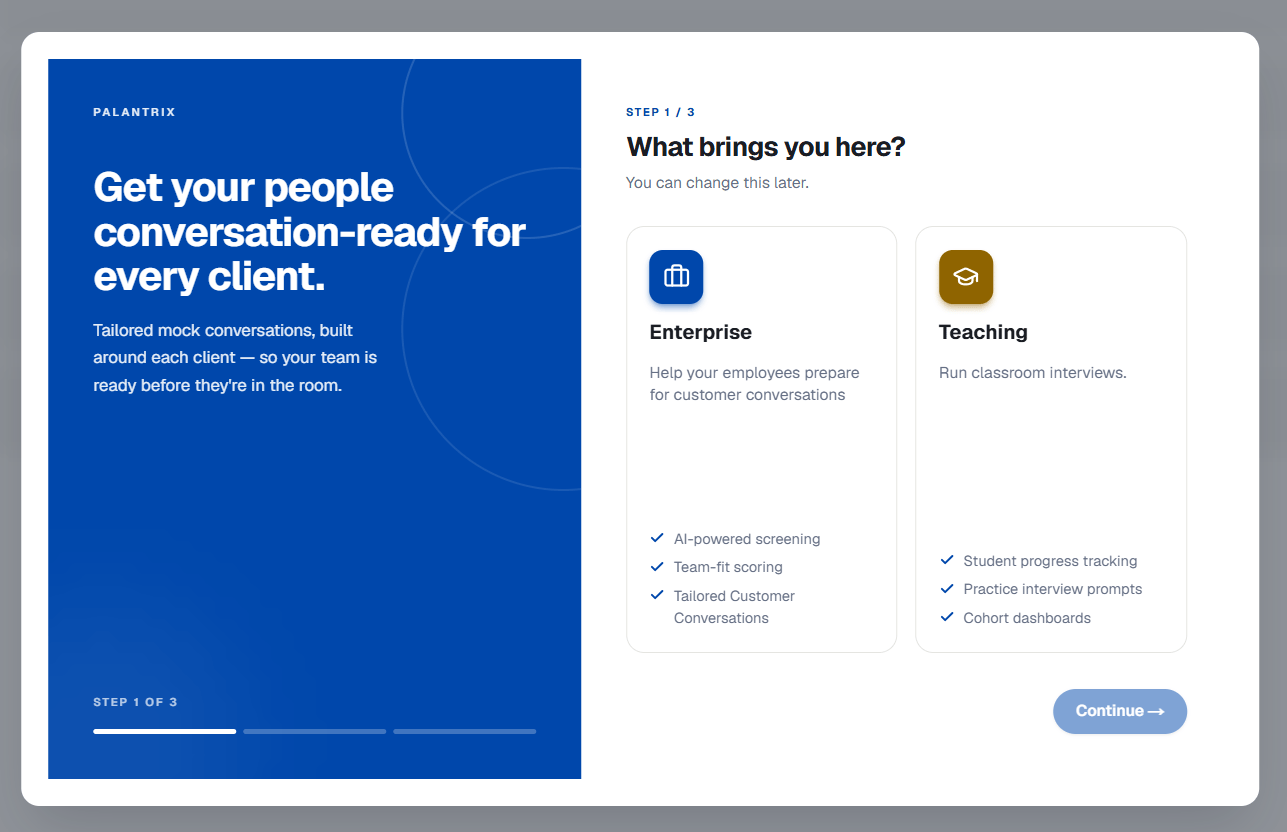
1
Step 1: Connect Slack or Microsoft Teams, then build Team Chemistry
Install the Palantrix app in Slack or Microsoft Teams. This is how Palantrix reaches your team for Team Chemistry and how it follows up after real conversations later on.Create a Team and then Add Team Members. Each person answers a short set of questions, either in Palantrix or through a direct message in Slack or Teams. It takes about ten minutes.Their answers combine into a single Team Chemistry signature, a weighted fingerprint of how your team thinks, works and communicates. This becomes the baseline every conversation is measured against, which is why it comes first.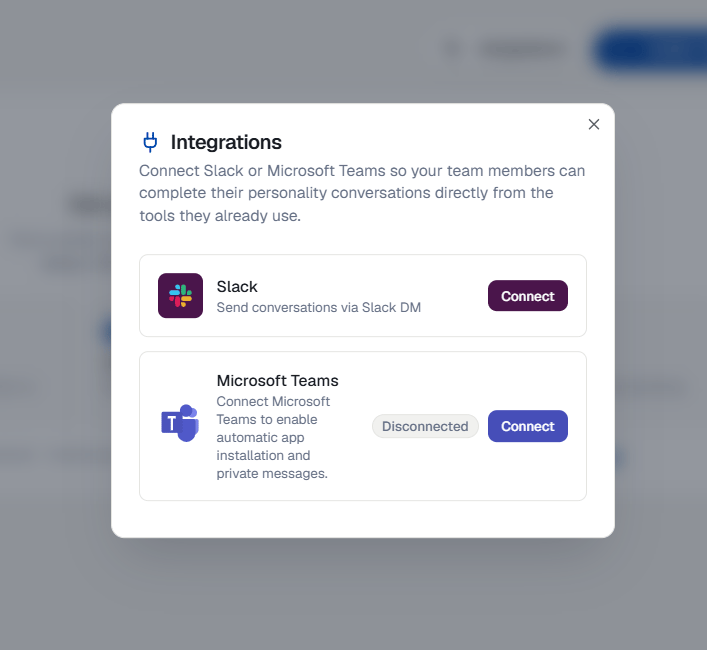
2
Step 2: Add your customers
Connect your CRM and Palantrix builds Client Digital Twins from the contact records you already hold. Available on paid plans.If you’d rather not connect a CRM, or you’re still evaluating, you can create contacts directly in Palantrix. Add the organisation, then the individuals your team deals with, along with what you know about how those conversations have gone before.The more you record about previous interactions, the more specific the practice gets. A Client Digital Twin built on real observations behaves differently to a generic contact.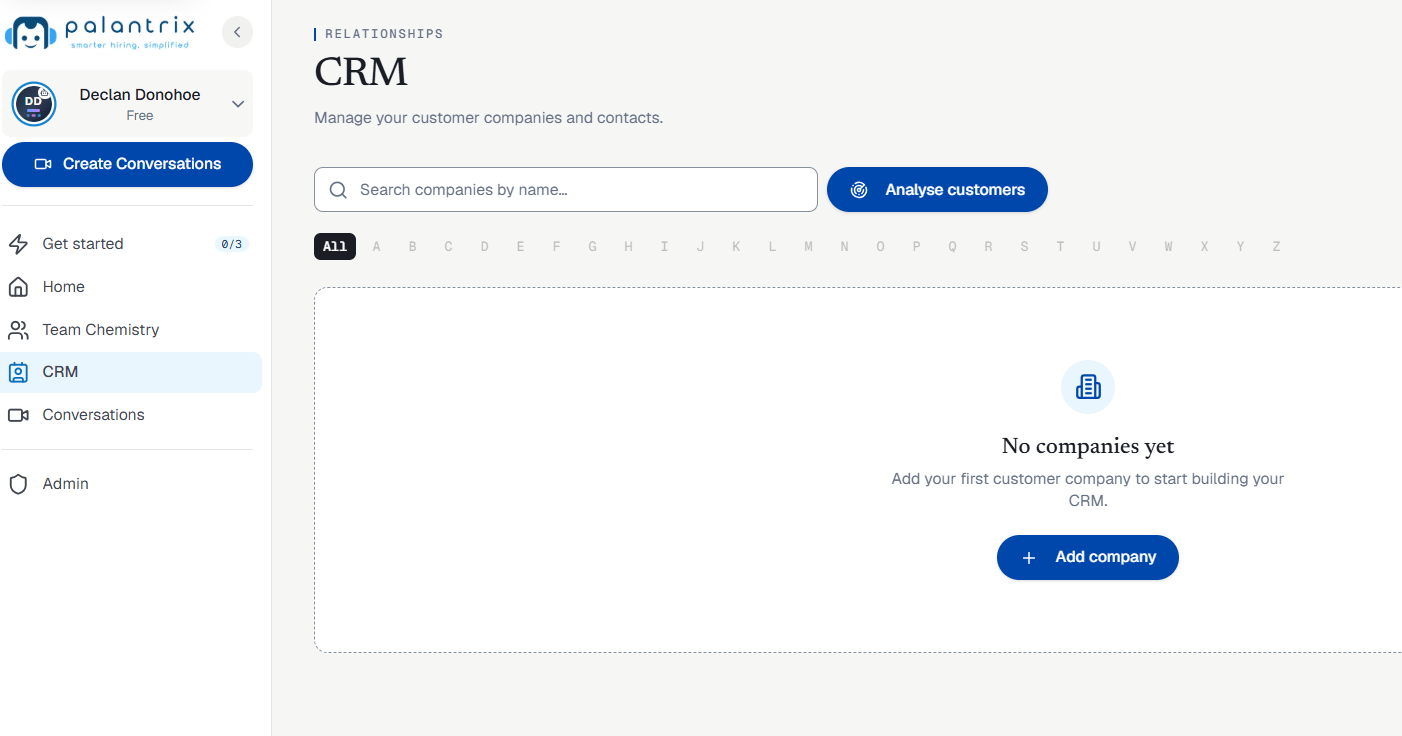
3
Step 3: Create a conversation and assign it
Choose a conversation type: sales presentation, discovery call, client briefing, interview or internal review. Pick the Client Digital Twin your team will be meeting, then assign it to the people taking part.Questions come from what you know about that contact, not a generic script. A finance director will push on cost and substantiation. A technical evaluator will ask about implementation. Your team rehearses the conversation they’re actually going to have.Feedback templates turn each run into something you can compare, and scores are read against your Team Chemistry baseline, so results mean something relative to your own team rather than an industry average.Staff can practice as many times as they like. They choose which attempt to share.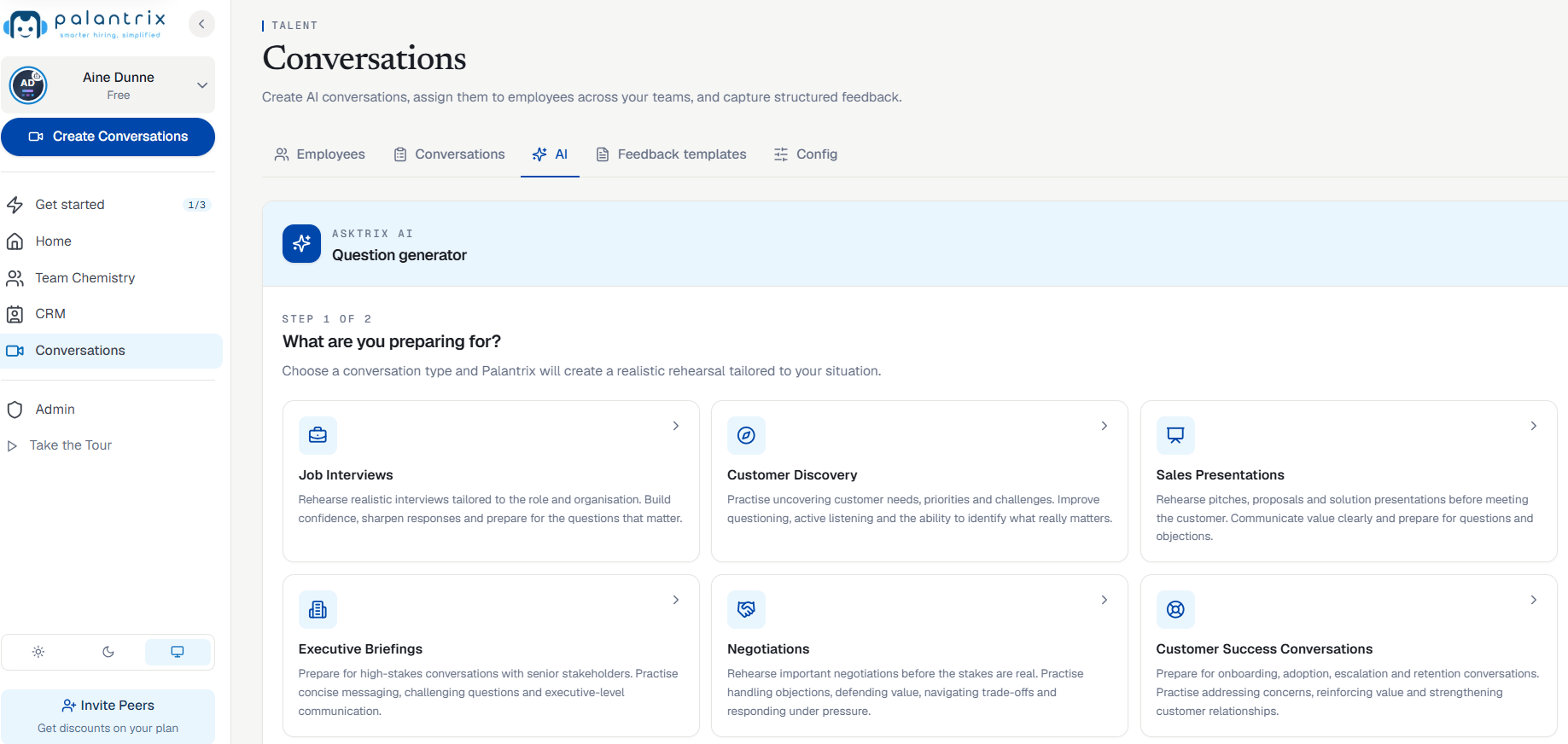
What happens next
Once a real conversation has taken place, Palantrix follows up in Slack or Teams to ask what was asked and which objections came up. That feeds back into the Client Digital Twin, so the next person preparing for that customer starts from a better picture.Added Security - MFA
We recommend enabling multi-factor authentication on your account. Once you connect your CRM, Palantrix holds information about your team and your business contacts, so it’s worth having in place from the start.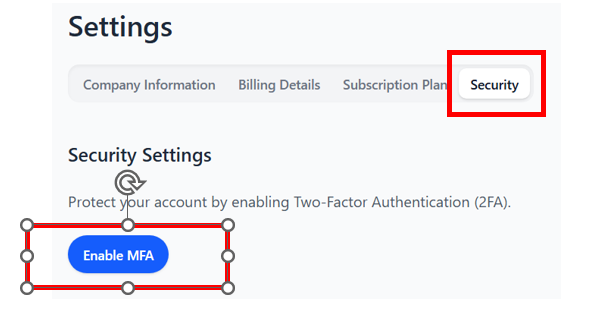
- Navigate to your Settings from the pull down list in the left navigation panel.
- Click on Settings > Security > Enable MFA (Multi Factor Authentication).
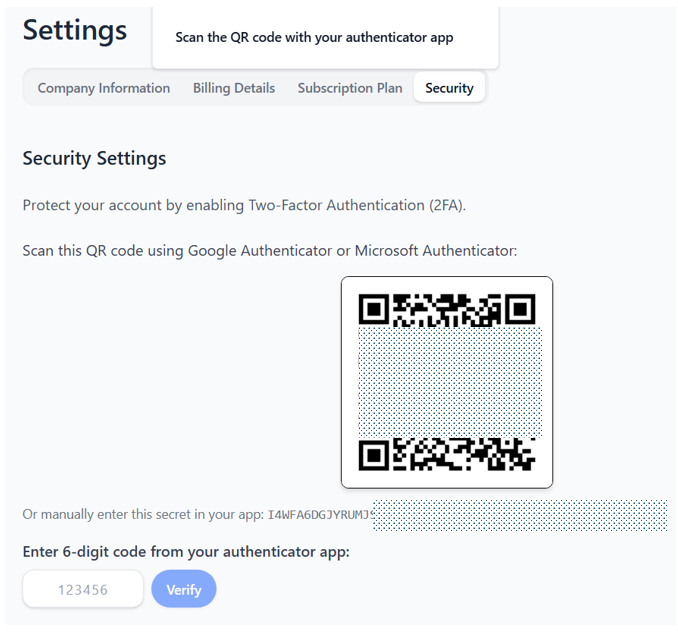
- Open an authenticator app on your phone - two top choices are Google Authenticator or Microsoft Authenticator.
- Scan the image and enter in the 6 digit code and click verify.
- All subsequent logins will now require the use of the MFA in order to access your Palantrix account.
Enabling MFA is recommended on your Palantrix account and is a great additional way to keep it secure.